HOW TO SEND RESULTS ON CODENC.COM/SCHOOL
By the end of this lesson, we would have understood how to send results to parents on codenc.com/school

Hi.
So you`ve created result sheets, entered all the scores and you are ready to send the results to parents via sms and whatsapp.
I shall walk you through the process.
Step 1.
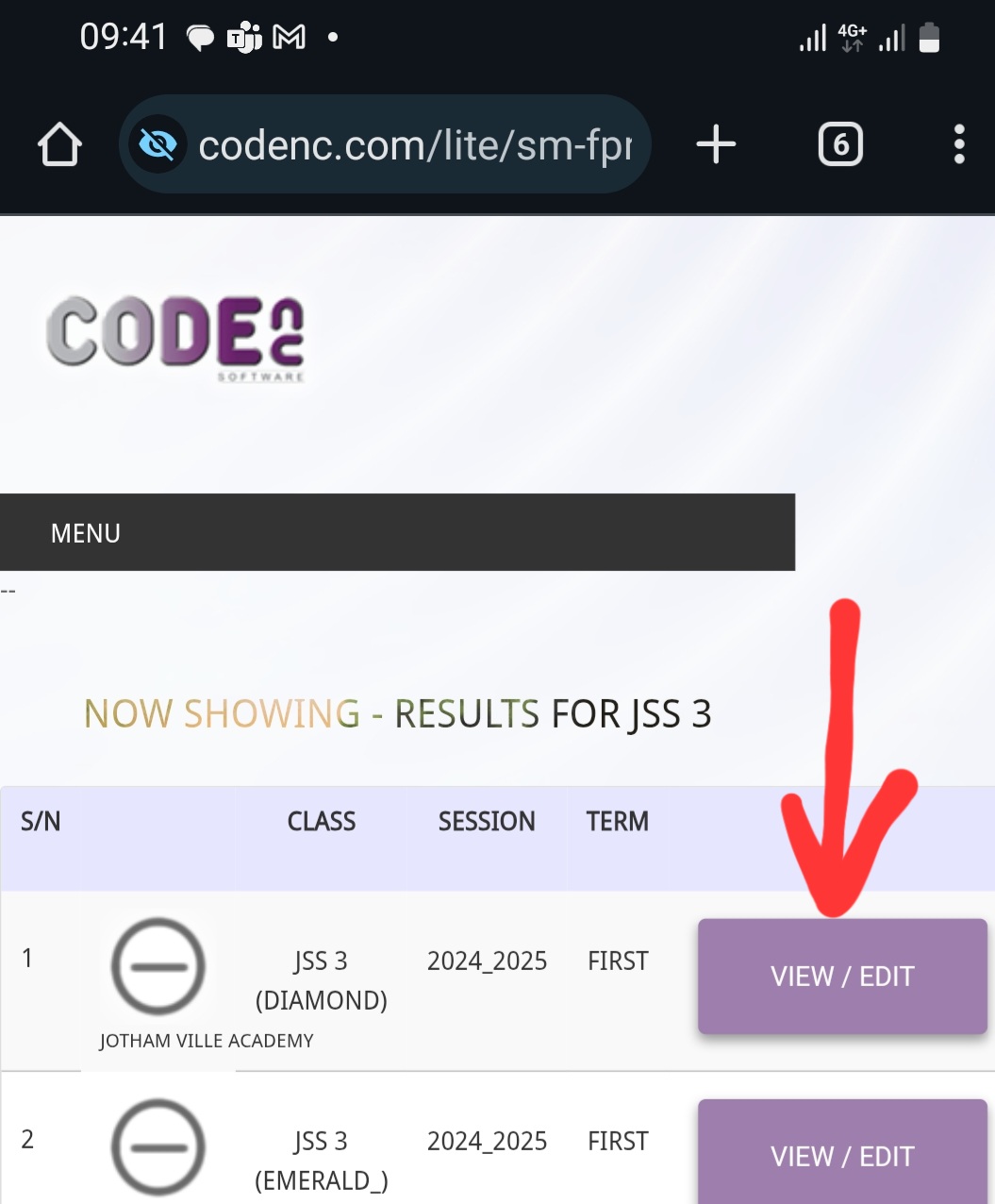
Open your class list. Select the class you want, then open the result sheet for the term and session.
Step2.
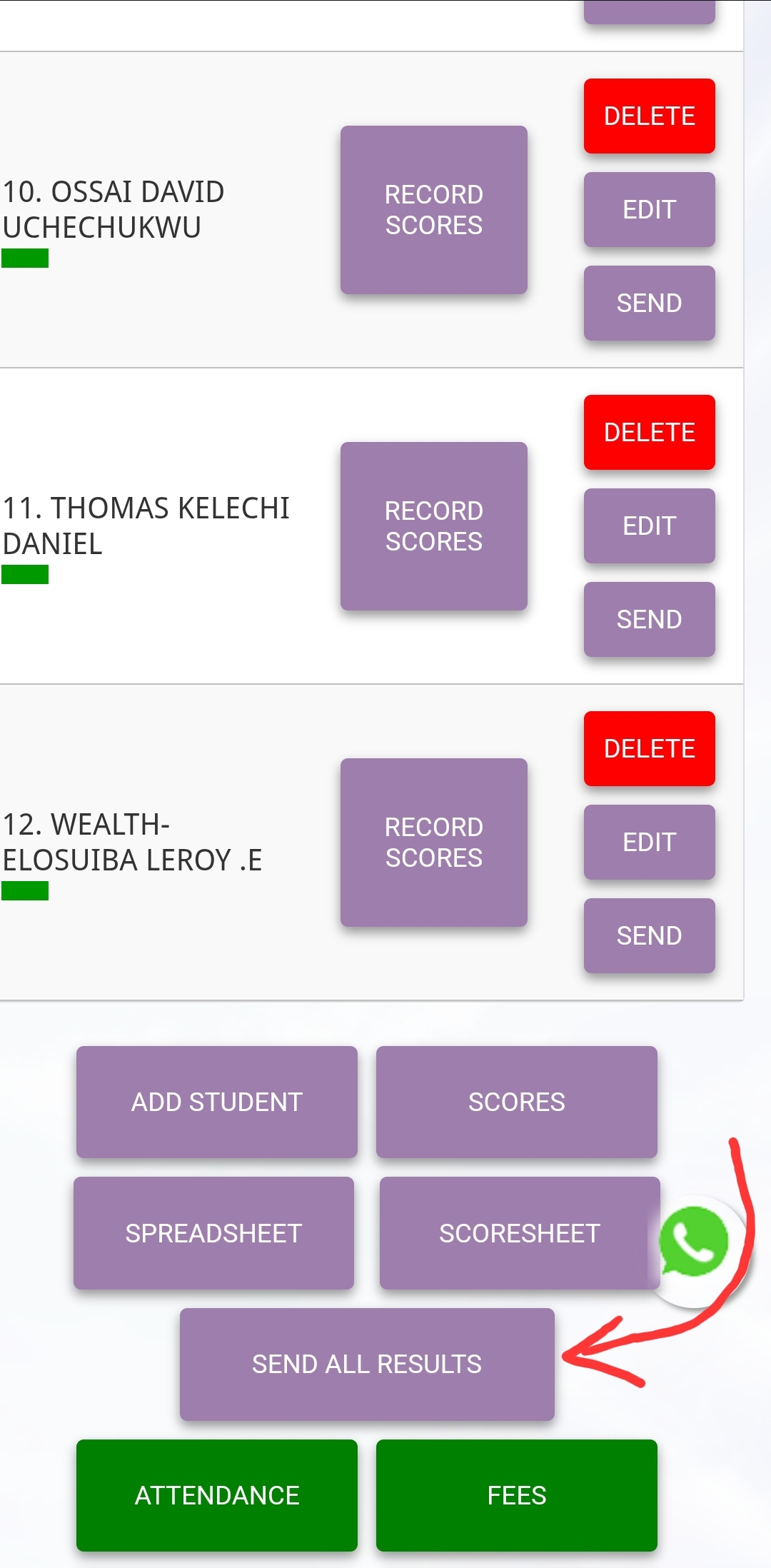
You will have the list of students in that class. Scroll down to the bottom of the page. There will be a button - SEND ALL RESULTS
Step 3.
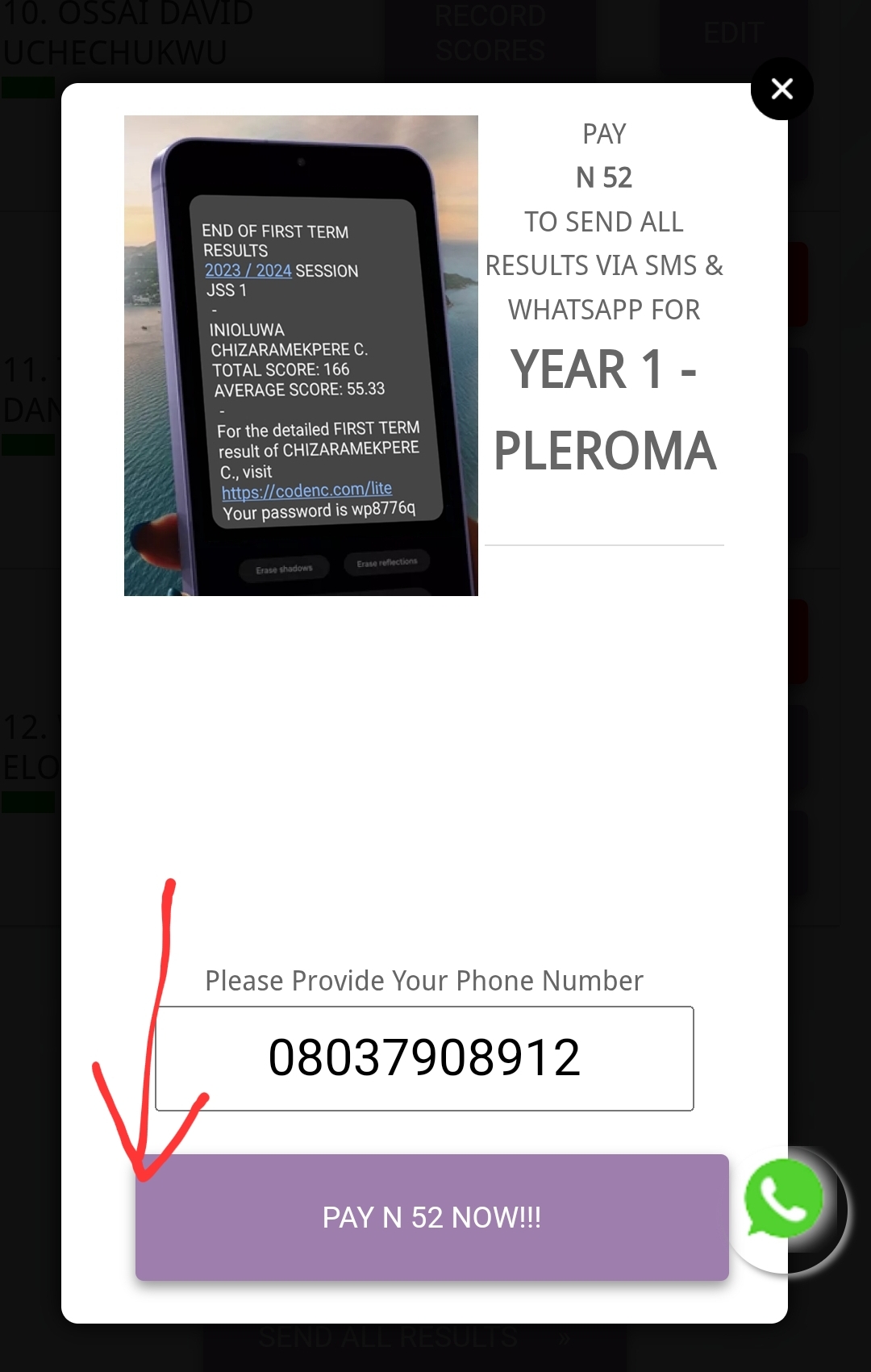
Click SEND ALL RESULTS.
Step 4.
Choose your mode of payment....
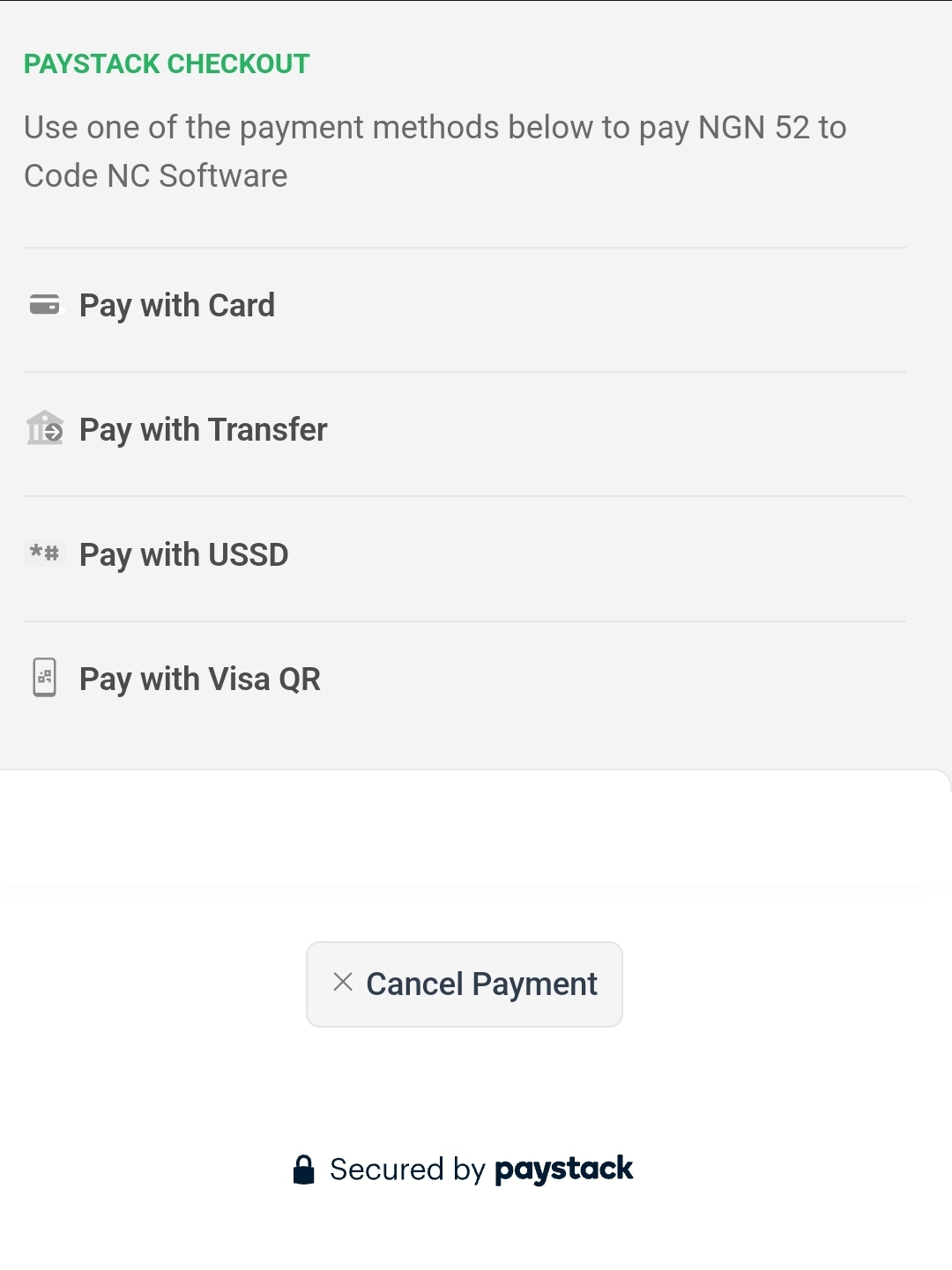
...and the results would be sent.
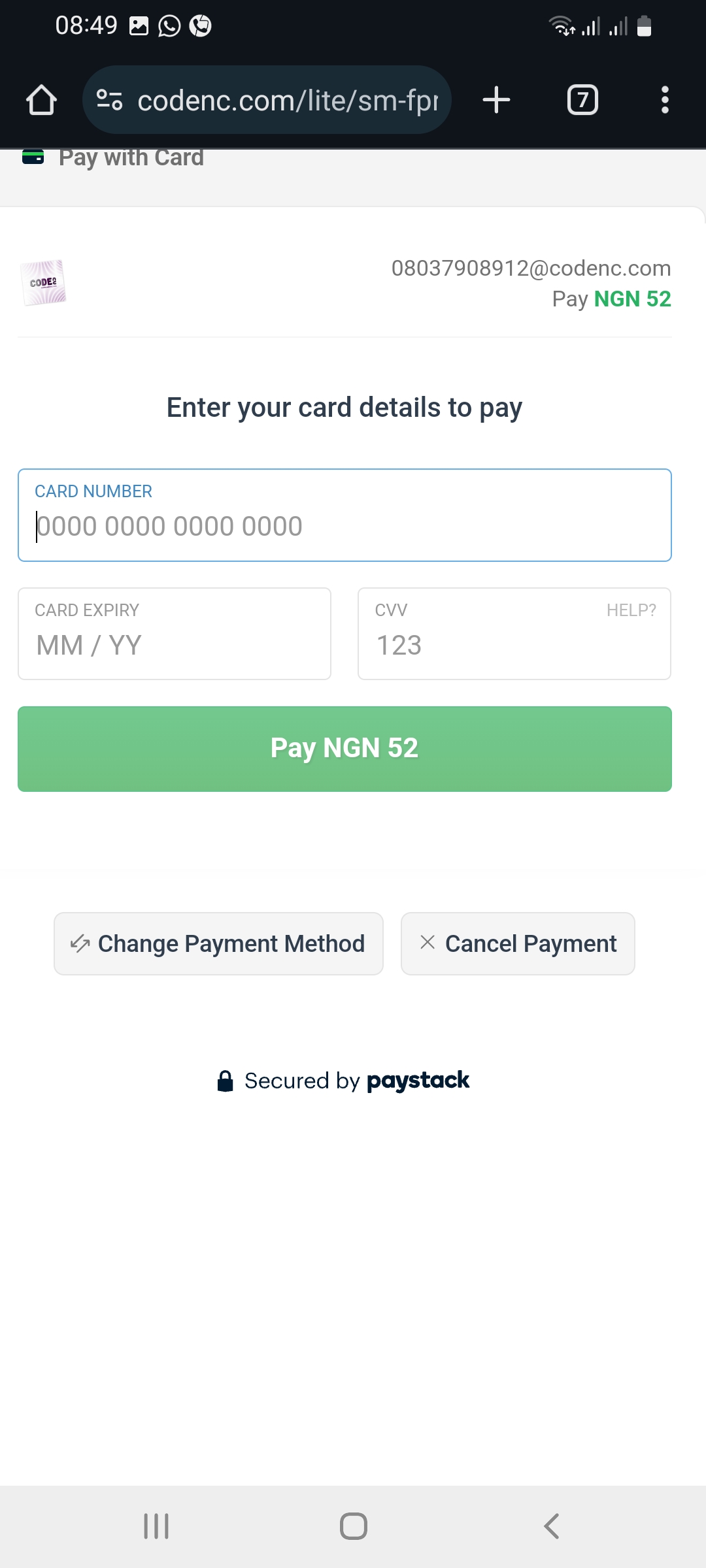
As soon as the payment is made, the results would be sent.
The process is self service, and 100% automated.